Introduction
The rest of the documentation explains Lightspeed Cloud one feature at a time. The Design Zone is for the step before that: deciding what to build, and drawing it so other people can follow it.
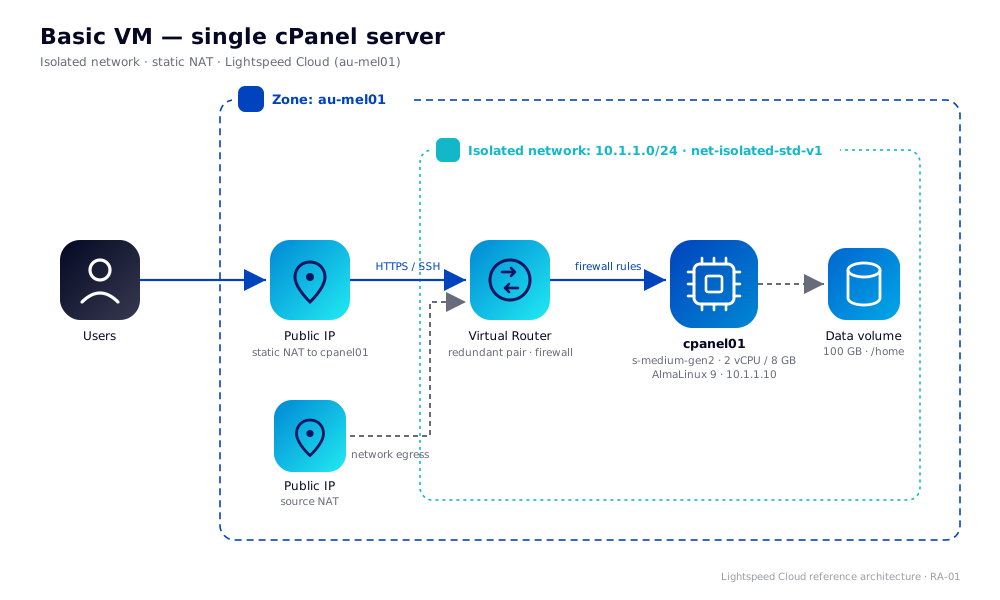
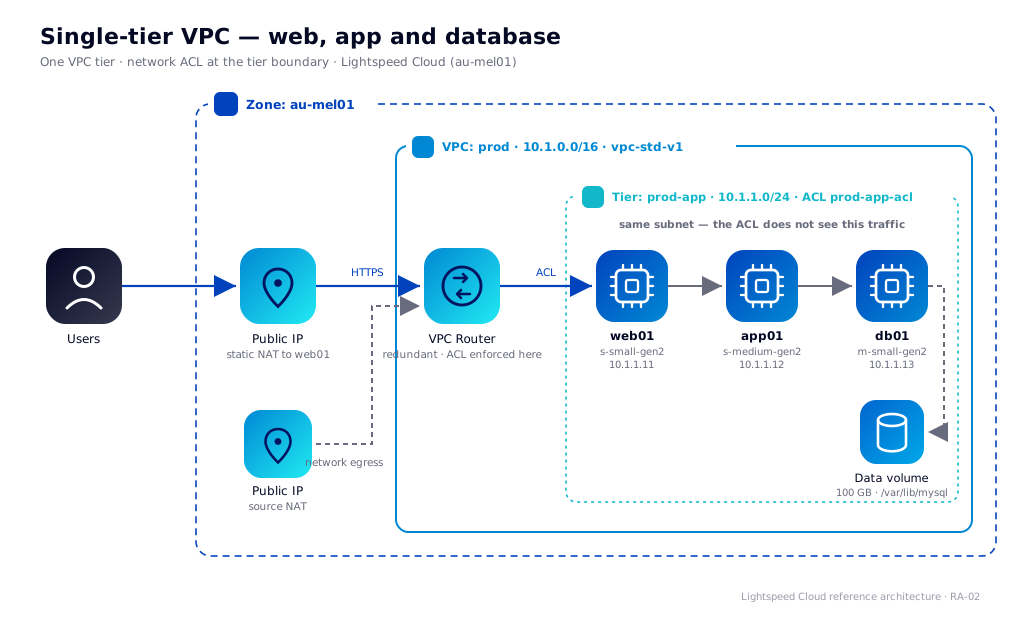
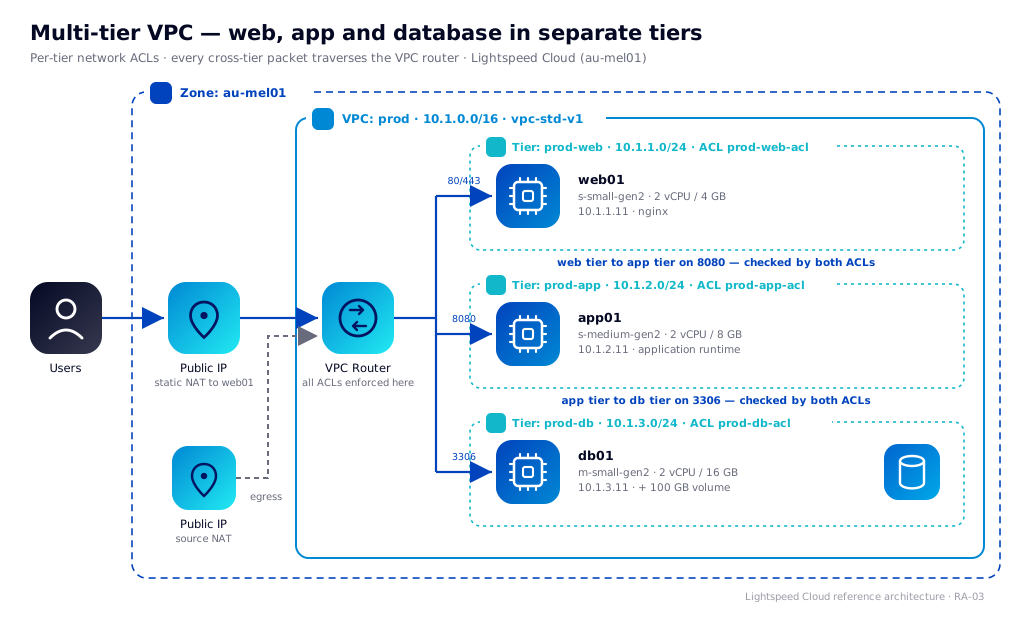
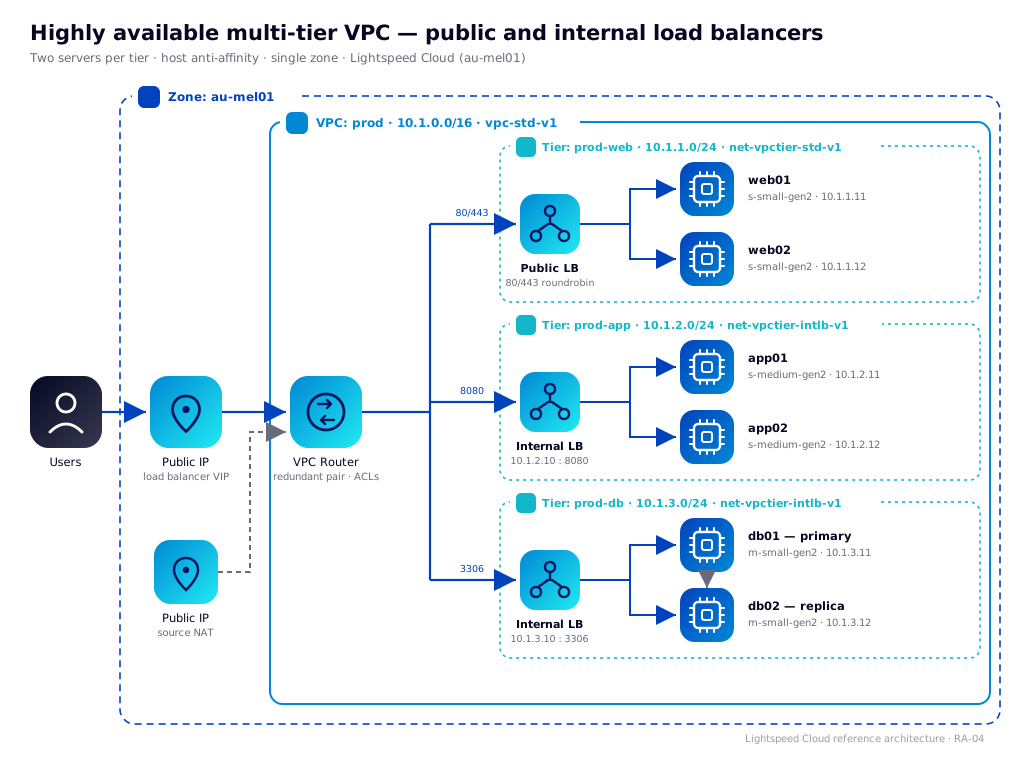
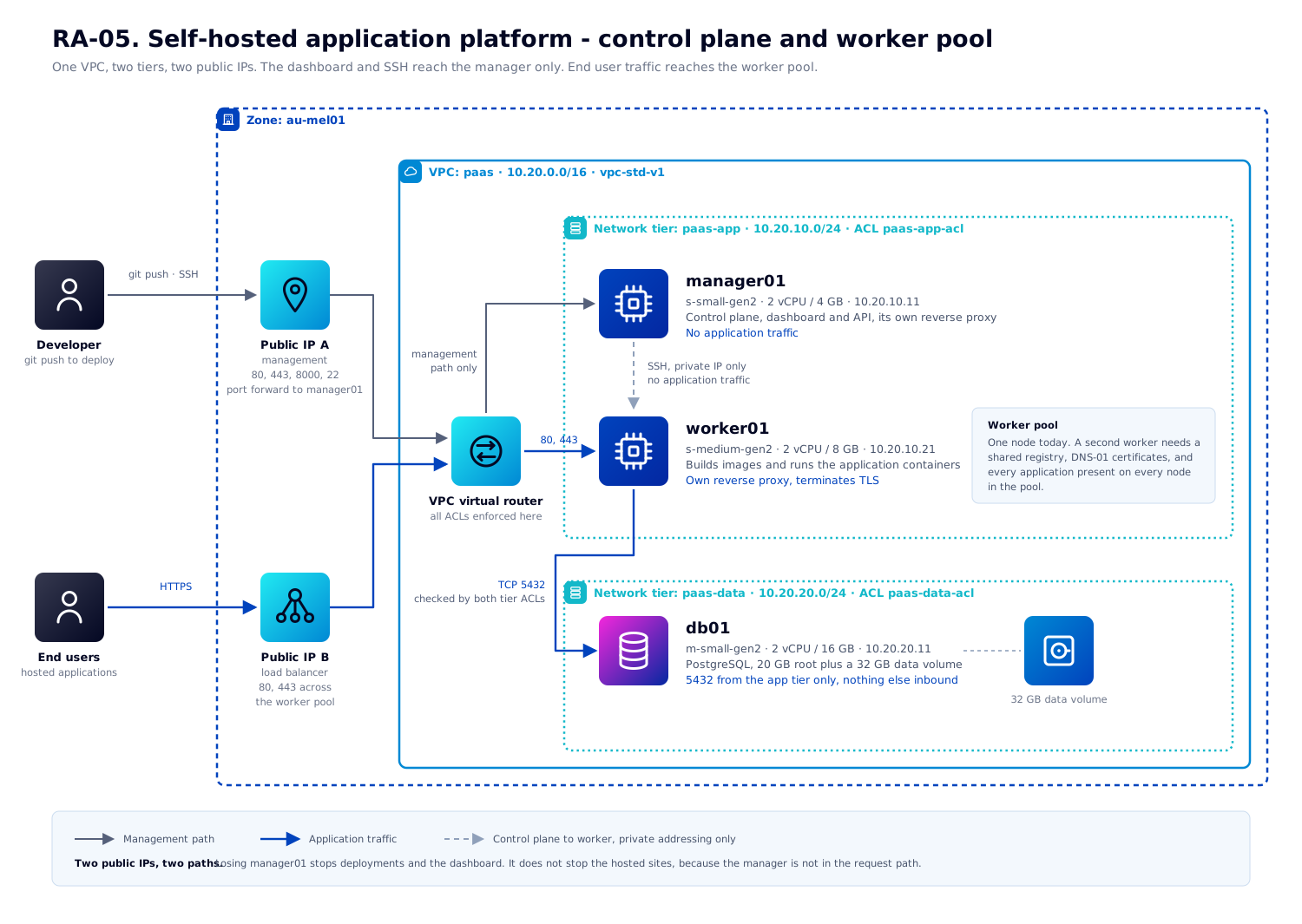
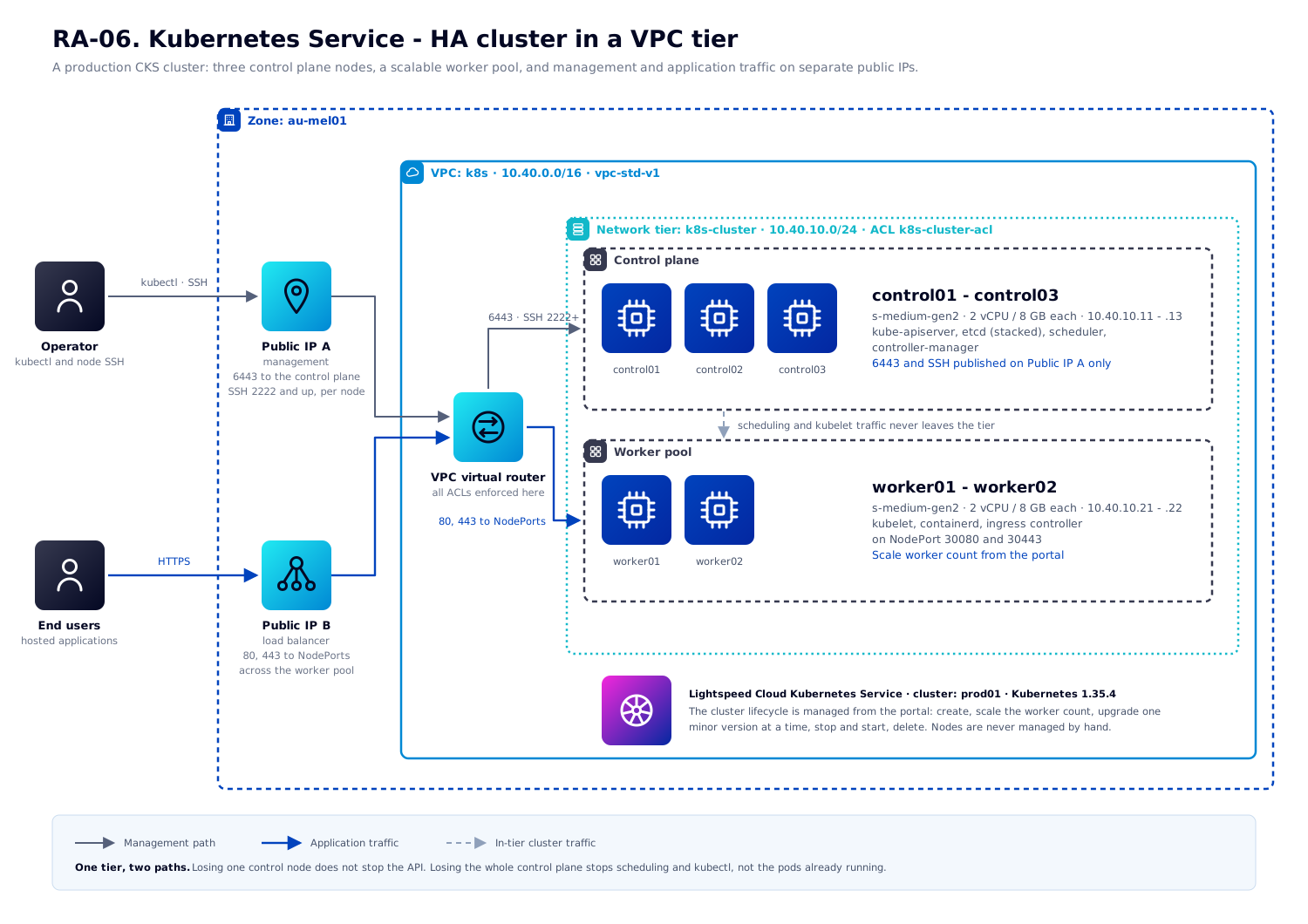
Reference architectures are complete, opinionated deployments - every offering, CIDR and firewall rule specified, with portal, CloudMonkey, Ansible and Terraform walkthroughs of the same build. The diagram packs at the bottom of this page are the icon set, Visio stencils and presentation template those architectures are drawn with, so your own diagrams match.
Available architectures
How to use these
Each architecture opens with what it deploys and what it suits, then covers the resource plan, the reasoning behind the choices that aren't obvious, a portal walkthrough, and CloudMonkey, Ansible and Terraform equivalents of the same build - finishing with verification steps and day 2 operations.
Names, CIDRs and admin IP ranges in the examples are placeholders - substitute your own. Everything else (zone names, network offerings, compute offerings and template names) is real and can be used as-is on Lightspeed Cloud.
The automation examples authenticate with an API key and secret key rather than your portal password - see API access for how to generate a pair.
Diagram packs
Icon sets, stencils and a presentation template for building your own architecture diagrams and slide decks. Every diagram in the architectures above is drawn with these, and each one is published as an editable SVG - linked as view full size beneath it - so a variation on one of our designs is usually faster to start from than a blank canvas.
-
Download icon pack (.zip)
SVG and PNG icons for Lightspeed Cloud services, for use in diagrams and documentation.
-
Download Visio stencils (.vssx)
A stencil pack for Microsoft Visio, matching the icon set above.
-
Download architecture template (.pptx)
A PowerPoint template for presenting Lightspeed Cloud architecture diagrams.